

Got a noisy, weak, or broken kitchen fan? You don’t have to wait for a technician. Swapping out an extractor fan is a task most homeowners can finish in an afternoon with a few tools. Below you’ll find the basics: when to replace, what you’ll need, and the step‑by‑step process.
First, check the obvious signs. If the fan sounds like a rattling can, barely moves air, or shows visible wear on the blades, it’s probably overdue. Also, look for moisture or rust on the housing – that can shorten the motor’s life. A fan that trips the circuit breaker every time you turn it on is another red flag. Finally, if you’ve had the same model for more than 8‑10 years, it’s a good idea to upgrade to a newer, more efficient unit.
Before you start, gather these items: a screwdriver (usually Phillips), a drill with a small bit for any screws, a ladder or sturdy step stool, a new extractor fan that matches the size of the old one, and safety gear – gloves and safety glasses. Turn off the power at the consumer unit; you don’t want any surprise shocks while working.
Most kitchen fans are mounted under the cabinet or on the wall. Locate the mounting screws and any wiring connectors. Typically there are two wires: live (brown) and neutral (blue). If your fan has a separate ground wire, keep that handy too.
1. Remove the old fan. Unscrew the mounting brackets and gently pull the fan away from the vent. Disconnect the wiring – you may need to loosen a terminal screw or press a release clip.
2. Clean the area. Dust often builds up around the vent and can reduce airflow. Use a vacuum or a damp cloth to wipe away grime before installing the new unit.
3. Fit the new fan. Attach the new fan’s mounting brackets to the same spots you removed the old ones. If the new fan is larger, you may need to enlarge the vent opening – a small hole saw does the trick.
4. Connect the wiring. Match the live and neutral wires to the new fan’s terminals. Tighten the screws so the connections are firm, then add the ground wire if present.
5. Secure and test. Screw the fan into place, make sure it sits flush, and turn the power back on. Switch the fan on – you should hear a smoother, stronger hum and feel a steady airflow.
If the fan runs but the airflow feels weak, double‑check the vent for blockages or make sure the fan blades spin freely. Most issues are resolved by cleaning the ductwork.
Now that you’ve installed a fresh fan, keep it running well by wiping the exterior monthly and cleaning the internal filter every few weeks. A simple brush or vacuum can clear grease build‑up. Running the fan for a few minutes after cooking helps prevent moisture and odors from lingering.
When the fan does need a future replacement, you’ll already know the right size and type for your kitchen, making the next swap even quicker.
Replacing a kitchen extractor fan isn’t a job for a specialist if you follow these steps. With a little preparation, the right tools, and a bit of patience, you’ll have fresh air back in your cooking space without the hassle or extra cost.

Wondering if you can change your kitchen extractor fan yourself? This guide covers steps, safety, tools, common mistakes, and installation tips for a smooth DIY experience.

Struggling with a troublesome boiler? Discover the most frequent issues like lack of heat, strange noises, and leaking water. Learn practical tips and tricks on how to diagnose and fix these problems on your own. Recognize when it's time to call a professional and keep your home warm and comfortable.

This article breaks down what an appliance standard really is and why it matters when you’re buying or servicing home appliances. You’ll learn about the rules that keep appliances safe and efficient, plus tips for spotting compliant models. It explains how standards affect your bills and the planet. Real-world examples make it clear and easy to understand. Use this guide to make smarter choices about your appliances.
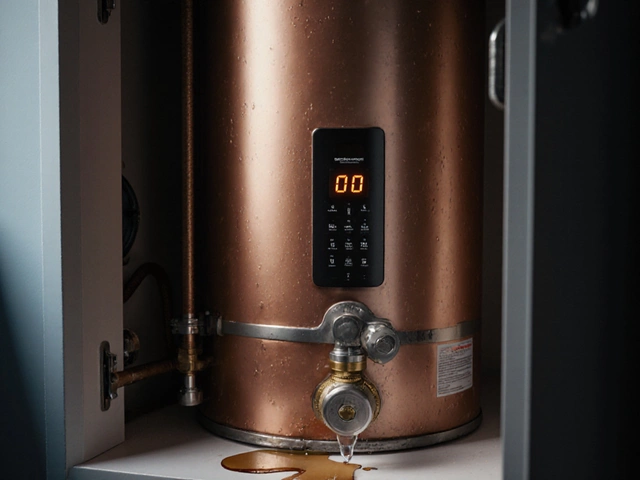
Spot the top warning signs of a failing hot water heater, from strange noises and leaks to temperature swings and error codes, plus practical fixes and when to call a pro.

Wondering if you should repair your washing machine or just buy a new one? This article breaks down when it's smart to fix your appliance and when it's better to let it go. Get tips on common washing machine problems, repair costs, and simple troubleshooting steps. Plus, learn how to avoid getting ripped off by price gouging repair techs. If laundry day is starting to look like a coin toss, read this before calling the junk hauler.

Wondering if that decade-old laptop should stick around or be kicked to the curb? This article dives into the practicality, challenges, and potential of keeping a 10-year-old laptop. With tips on upgrading components, performance tweaks, and sustainability, you'll discover whether holding on to an old device is a wise choice. Including pros and cons, this guide offers straightforward advice for the tech-savvy and beginners alike. Explore the balance between nostalgia and functionality in the ever-evolving world of technology.