

If your laptop feels sluggish or you notice dust building up, it's time for a quick maintenance session. Regular care costs less than a repair and can add years to your device’s life. Below are the must‑do tasks you can finish in under an hour.
Start with a soft, lint‑free cloth slightly dampened with water or a 50/50 water‑isopropyl mix. Wipe the screen, lid, and ports—avoid spraying directly on the laptop. For the keyboard, turn the device upside down and shake out crumbs, then use a can of compressed air to blast hidden particles from between the keys. A quick brush‑type cleaner can sweep away surface grime without scratching the keys.
Dust is the biggest enemy of cooling fans. If you feel the laptop getting hot, power it down, remove the battery (if removable), and use compressed air to blow through the air vents. Aim the nozzle at an angle to push dust out, not deeper into the machine. For deeper cleaning, you may need to open the back panel—just check your model’s guide first.
Cleaning the fans once every six months keeps temperatures low and performance high. When you hear unusual fan noise, it’s a sign the fan blades might be clogged.
Software updates are as important as physical cleaning. Set Windows Update (or macOS Software Update) to install automatically. Regularly update drivers, especially graphics and chipset drivers, because outdated drivers can cause crashes and slowdowns.
Run a trusted anti‑virus scan weekly and clear temporary files. You can use the built‑in Disk Cleanup (Windows) or Optimize Storage (macOS) to delete old logs, caches, and downloads you no longer need.
Battery life drops when you keep the laptop plugged in all the time. Try to keep the charge between 20% and 80% for daily use. If you store the laptop for a long period, leave the battery at about 50% and turn it off.
Calibrate the battery once a year: fully charge, then let it discharge to shutdown, and recharge to 100% without interruption. This helps the system read the real capacity accurately.
Even the best‑maintained laptop can fail unexpectedly. Use an external drive or cloud service to back up important files every week. Windows has File History, macOS offers Time Machine—both are easy to set up and run in the background.
Having a recent backup means you won’t lose work if the hard drive starts making strange noises or the OS crashes.
By following these five steps—cleaning, dust removal, software updates, battery care, and backups—you’ll notice smoother performance, cooler operation, and fewer surprise breakdowns. Spend a little time each month, and your laptop will repay you with reliable service for years to come.

Wondering if that decade-old laptop should stick around or be kicked to the curb? This article dives into the practicality, challenges, and potential of keeping a 10-year-old laptop. With tips on upgrading components, performance tweaks, and sustainability, you'll discover whether holding on to an old device is a wise choice. Including pros and cons, this guide offers straightforward advice for the tech-savvy and beginners alike. Explore the balance between nostalgia and functionality in the ever-evolving world of technology.

Deciding whether to repair or replace a laptop can be challenging. This guide explores the costs, benefits, and considerations involved in repairing a laptop. Learn when it's worth diving into a repair and when it's best to shop for a new device, along with tips on DIY repairs and choosing a reliable repair service.
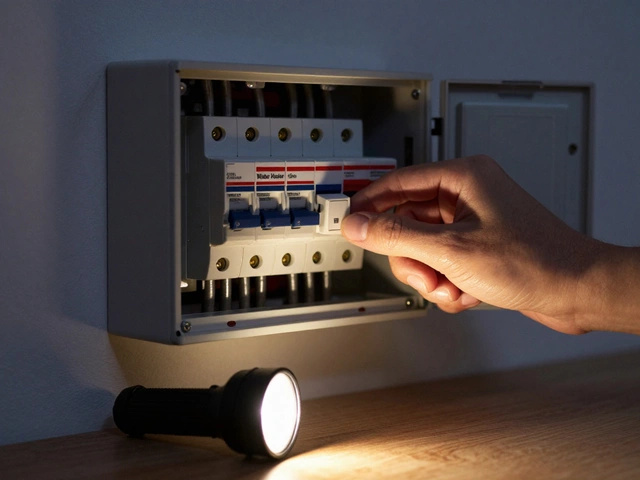
When there's no hot water, the first thing to check isn't the heater-it's the circuit breaker or pilot light. Most issues are simple fixes that save time and money. Learn what to look for and how to fix it yourself.

When your fridge stops cooling, it can be a real worry, especially with all that food at risk. Before you call the repairman, there are a few steps you can try yourself to bring your refrigerator back to life. From checking the thermostat settings to cleaning coils and examining door seals, you might find that a simple DIY fix does wonders. Understanding how these appliances work can also help prevent future hassles. This guide will walk you through the essential tips and tricks to get your fridge cooling again.

Struggling with a kitchen extractor fan that's lost its power? This guide explains how to find and fix common blockages that cause bad smells and poor airflow. Learn step-by-step how to safely clean your fan and make it work like new, plus get handy maintenance tips to stop future clogs. We break down the process so you don't need tools or special skills. Get your kitchen back to normal without calling in an expert.

Wondering if it's worth repairing your electric oven or if you should just buy a new one? This article dives into the factors to consider, from cost effectiveness to the age of your appliance, helping you make an informed decision. We'll discuss common issues that can be fixed, when to call in a pro, and some smart tips to extend the lifespan of your oven. By the end, you'll know whether fixing or replacing is the better choice for your situation.
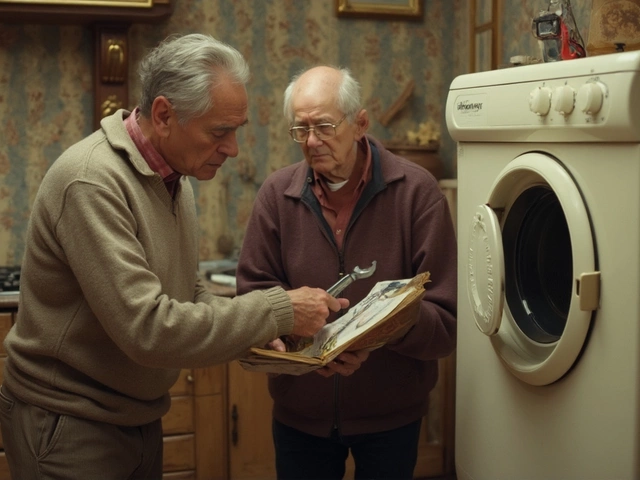
Wondering if fixing your tumble dryer makes sense? This article dives into crucial considerations like repair costs, common issues, and when to replace. Avoid costly mistakes by learning signs that scream 'repair!' or 'replace!' Smart tips help you make the right decision for your dryer woes.