

If your kitchen fan smells bad, rattles, or just isn’t pulling air like it used to, a good clean can fix it fast. You don’t need a fancy service – most of the work can be done with a screwdriver, some soap, and a bit of patience.
Before you start, pull together a few basics: a flat‑head screwdriver, a soft brush or old toothbrush, a bucket of warm soapy water, a cloth, and a vacuum with a brush attachment. If you have a drop cloth, lay it down to catch any grime.
Turn off the fan at the switch and unplug it from the wall. Safety first – you don’t want any surprise sparks while you’re pulling the housing off.
1. **Remove the cover** – Most extractor fans have a removable grille. Unscrew it gently and set the screws aside. The grille often catches most of the grease, so give it a good soak in the soapy water.
2. **Clean the fan blades** – The blades are usually metal and can get coated with oil from cooking. Use the toothbrush dipped in soapy water to scrub each blade. If the build‑up is thick, soak the blades for a few minutes, then wipe clean.
3. **Vacuum the motor housing** – With the brush attachment, pull out dust and loose debris from the motor area. Be careful not to bend any wires. This step helps the motor stay cool and run longer.
4. **Rinse and dry** – After scrubbing, rinse the grille and blades with clean water. Let everything dry completely – a dry cloth can speed up the process, or let it air dry for 10‑15 minutes.
5. **Re‑assemble** – Slip the blades back into place, replace the grille, tighten the screws, and plug the fan back in. Turn it on and listen – you should hear a smoother, quieter flow.
If the fan still feels weak after cleaning, the motor might be wearing out or the duct could be clogged further down. That’s when a professional, like Bognor Regis Appliance Repair Experts, can inspect the internal wiring or replace the motor.
**Pro tip:** Do a quick clean every 3‑4 months if you cook a lot, and a deeper clean twice a year. Regular maintenance keeps the fan efficient and helps you avoid costly repairs later.
**When to call a pro:**
Keeping your extractor fan clean isn’t just about fresh smells – it also improves indoor air quality and reduces the risk of mold forming in your kitchen ceiling. So grab that screwdriver, follow these steps, and enjoy a quieter, healthier cooking space.

Extractor fans are a lifesaver when it comes to clearing out steam, smoke, and nasty odors, but many people forget they actually need a little love now and then. This article cracks open the question of whether extractor fans need maintenance, and if so, what kind and how often. We'll cover quick tips, warning signs, and busted myths around fan care. Get the straightforward facts (and a few surprises) about keeping your fan working its best. No nonsense, just super practical info you can use right now.

Navigating the cost of a new boiler can be confusing. This guide dives into typical pricing, key considerations for your budget, and how to make the best decision for your home. We'll explore average costs, the impact of brands and models, and provide tips for saving money. Get the information you need to keep your home warm without breaking the bank.

Thinking about ditching your gas appliances? This article breaks down the real pros and cons of keeping or replacing things like your gas stove, water heater, or furnace. Learn how safety, repair costs, and future-proofing your home play into this decision. There are lots of myths out there and we’ll sort out the facts. You'll also pick up practical tips on making the best choice for your budget and home. Let's cut through the noise and find out what really matters for your gas appliances.
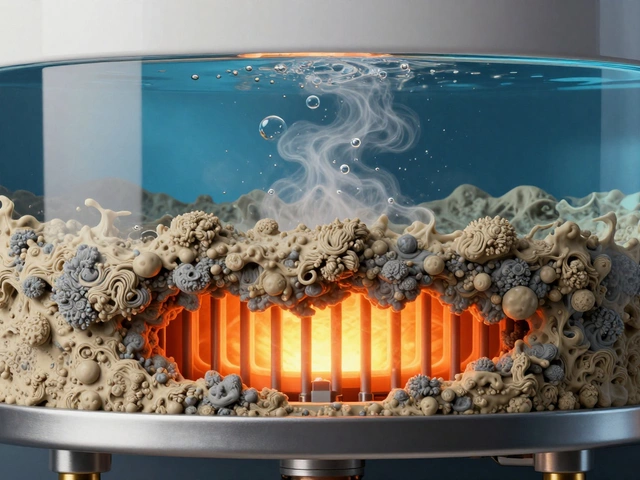
Discover the most common hot water heater problems, including sediment buildup, pilot light failures, and leaks. Learn how to diagnose issues, perform maintenance, and extend your unit's lifespan.

A malfunctioning boiler can be a real nuisance, especially during the cold months. Understanding whether a broken boiler constitutes an emergency is crucial. This article provides insights into when to prioritize boiler repairs, potential risks associated with delayed attention, and essential DIY tips to consider before professional help arrives. Dive into valuable advice on maintaining your heating system efficiently.

Wondering what an appliance job really is? This article breaks down everything you need to know, from common types of jobs to what actually happens when a technician shows up at your door. You'll learn when to call for help, what to expect during a service visit, and how to get the best results for your money. Get practical tips before you book, so there are zero surprises. Whether it’s your fridge, washer, or oven acting up, this guide has your back.