

If your laptop won’t turn on, runs slow, or shows weird errors, you don’t have to panic. Most issues have a straightforward fix you can try before calling a technician. In this guide we’ll walk through the most common problems, quick troubleshooting steps, and the point where a pro’s help becomes necessary.
1. Won’t power up. First, check the charger and power outlet. Make sure the charger’s LED lights up. If the laptop still stays dark, remove the battery (if it’s removable), hold the power button for 15 seconds, then plug the charger back in and try again. This resets the internal power circuit.
2. Overheating. Dust in the vents is the usual culprit. Turn the laptop upside down, use a can of compressed air to blow out dust from the vents and fan slots. Keep the laptop on a hard, flat surface – a pillow or lap can block airflow.
3. Slow performance. Open the Task Manager (Ctrl+Shift+Esc) and see which apps are using the most CPU or RAM. End any unnecessary programs. If the hard drive is almost full, delete old files or move them to an external drive. Running a disk cleanup and defragmentation (for HDDs) can also speed things up.
4. Keyboard or touchpad not working. Restart the laptop – sometimes the driver just needs a reset. If that doesn’t help, go to Device Manager, find the keyboard or touchpad entry, right‑click and choose “Update driver.” For stubborn keys, gently clean under them with a soft brush.
5. Wi‑Fi drops out. Make sure the wireless switch (if your model has one) is on. Right‑click the Wi‑Fi icon, select “Troubleshoot,” and follow the prompts. Updating the network adapter driver often fixes recurring dropouts.
If you’ve tried the steps above and the laptop still misbehaves, it’s time to assess the risk. Replacing a cracked screen or a dead hard drive can be done at home if you’re comfortable with small screws and static‑free handling. Plenty of video guides show the exact screw locations and connector types.
However, issues like a liquid spill, a motherboard failure, or a battery that swells are best left to professionals. Those problems involve delicate components that can cause injury or further damage if handled incorrectly.
Before you book a repair, note the laptop’s age and warranty status. If it’s still under warranty, opening it up yourself might void the coverage. In many cases, a professional repair under warranty is free or cheaper than a DIY fix that could break the seal.
To save money, get a quote first. Explain the symptoms, what you’ve already tried, and ask if the repair includes a guarantee on parts and labor. A reputable service will give you a clear breakdown and let you decide.
In short, start with the easy checks – power, dust, software – and move to parts replacement only if you feel confident. When the problem feels beyond your skill level, or the laptop is very new, hand it over to a qualified tech. With the right approach, most laptop hiccups can be fixed quickly without a big expense.

Deciding whether to repair or replace a laptop can be challenging. This guide explores the costs, benefits, and considerations involved in repairing a laptop. Learn when it's worth diving into a repair and when it's best to shop for a new device, along with tips on DIY repairs and choosing a reliable repair service.

Wondering when to replace your cooker? This article breaks down the real signs that your cooker is on its last legs, what affects its lifespan, and how to keep it running safely for longer. Get practical tips straight from real-life experience and find out how to spot issues before they turn expensive. Whether you use gas or electric, knowing when to repair or replace makes all the difference in your kitchen.
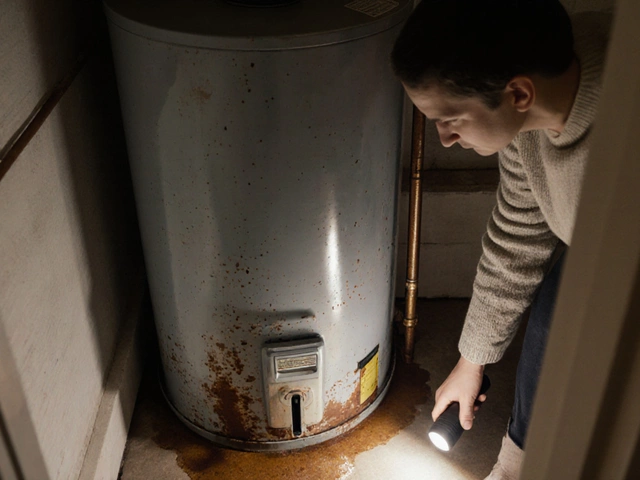
Find out if fixing a 20‑year‑old water heater makes sense. Compare repair costs, energy loss, and replacement price to decide the best move for your home.

Struggling with a troublesome boiler? Discover the most frequent issues like lack of heat, strange noises, and leaking water. Learn practical tips and tricks on how to diagnose and fix these problems on your own. Recognize when it's time to call a professional and keep your home warm and comfortable.

Is your heat pump not blowing warm air? Here’s what causes it and how you can troubleshoot the issue. Easy fixes and tips for a cozy home.

Most extractor fans can be repaired with simple fixes like cleaning, capacitor replacement, or tightening parts. Learn when DIY works and when to call a pro to avoid costly damage from damp and mold.