
Laptop Repair vs. Replace Calculator
Enter Your Details
Enter values to see if you should repair or replace.
Imagine this: your laptop screen cracks. You take it to a shop, and they quote you £250. You look online, see a part for £40, and think, "What are they charging me for?" It feels like a scam. But if you’ve ever tried to fix a modern machine yourself, you know it’s not that simple.
The sticker shock isn’t just greed. It’s a mix of supply chain traps, specialized labor, and the way manufacturers design their devices today. As Everett Winslow, based in Bristol, I see these questions every day. People want transparency. They want to know where their money goes. Let’s break down the real reasons why fixing a computer has become so pricey.
The Myth of Cheap Parts
The biggest misconception is that parts are cheap. If you buy a loose LCD panel from an overseas marketplace, yes, it might cost £30. But that’s not what a professional uses. That panel might be used, refurbished, or lack proper color calibration. More importantly, it often doesn’t come with the connectors, screws, or adhesive strips needed for a clean install.
Professionals buy from authorized distributors. These suppliers charge significantly more because they guarantee authenticity. A genuine Apple battery or an original Dell keyboard costs three to five times more than a third-party alternative. Why? Because using non-genuine parts can void warranties, cause overheating, or fail within months. When a repair shop guarantees their work, they can’t risk cutting corners on components.
Then there’s the issue of availability. Many modern laptops use proprietary parts. You can’t just swap a hinge from one model to another. Manufacturers change screw lengths, connector shapes, and even thermal paste formulas year by year. This fragmentation means shops have to keep a massive inventory of specific parts, tying up capital and storage space. That overhead gets passed on to you.
Labor Isn't Just Time-It's Skill
You might think, "I watched a YouTube video; it looks easy." Opening a laptop case is easy. Doing it without breaking hidden clips, damaging ribbon cables, or scratching the chassis is hard. Labor costs reflect expertise, not just hours spent.
A technician needs years of experience to diagnose issues quickly. Is the blue screen caused by bad RAM, a failing SSD, or a corrupted OS? Guessing wrong wastes time and money. Professionals use diagnostic tools and logic to pinpoint faults accurately. Their rate covers rent, insurance, training, and equipment depreciation. In cities like London or Bristol, commercial rent is high. A small repair shop pays thousands per month just to exist. Those bills don’t disappear when you walk in the door.
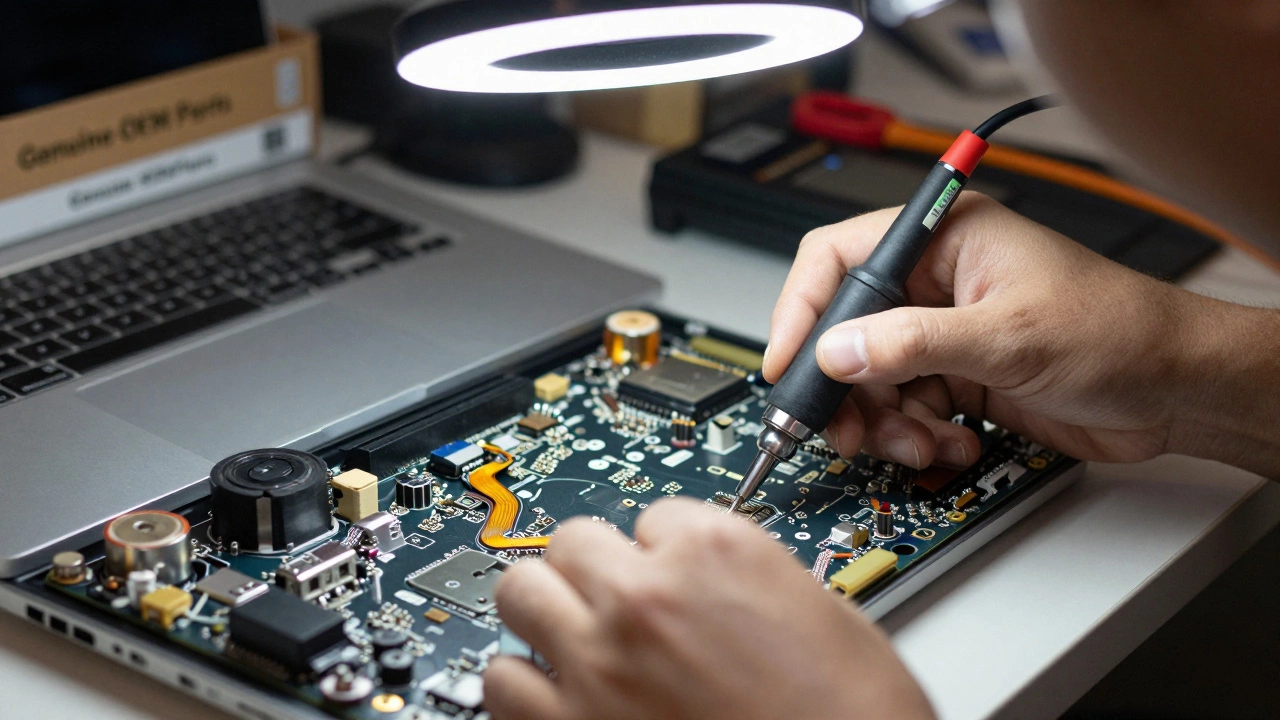
Consider the risk factor too. Modern laptops are glued together. Removing a battery might require heat guns and plastic spudgers to avoid puncturing the cell. One slip can destroy the motherboard. Technicians carry liability insurance to cover accidental damage. That premium is baked into your hourly rate. You’re paying for peace of mind, knowing that if something goes wrong, they’ll make it right.
Design Changes Are Making Repairs Harder
In the past, laptops were modular. You could pop off the back, swap a hard drive, and be done. Today, manufacturers prioritize thinness and aesthetics over serviceability. Components are soldered directly onto the motherboard. RAM is no longer upgradeable on many models. Batteries are glued under keyboards or trackpads.
This shift increases labor time dramatically. Replacing a simple power jack now might involve disassembling the entire device, removing the screen, lifting the motherboard, and resoldering components. What used to take ten minutes now takes two hours. More hours mean higher labor charges. It’s not arbitrary; it’s physics and engineering constraints.
Manufacturers also restrict access to repair manuals and software pairing codes. For example, replacing a display on some newer MacBooks requires activating the new part via Apple’s internal system. Independent shops must pay for access to these systems or rely on gray-market methods that aren’t always reliable. These barriers raise the barrier to entry for small businesses, reducing competition and keeping prices high.

The Hidden Costs of Diagnosis and Warranty
Before any screw is turned, there’s diagnosis. Sometimes the problem isn’t obvious. A laptop won’t turn on. Is it the charger? The DC jack? The motherboard? The BIOS chip? Diagnosing intermittent faults requires testing multiple scenarios. Shops often charge a diagnostic fee, which may be waived if you proceed with the repair. This fee ensures technicians get paid for their time, even if the customer decides not to fix the device.
Warranties add another layer. Reputable shops offer a 90-day or 1-year warranty on parts and labor. If the same issue recurs, they fix it for free. This safety net costs them money upfront but builds trust. Cheaper, unregulated operators might skip warranties, but they also skip quality control. You get what you pay for. A low quote often hides future costs.
Comparison: Professional vs. DIY Repair
| Factor | Professional Repair | DIY Approach |
|---|---|---|
| Part Quality | Genuine/OEM certified | Third-party/used (variable) |
| Labor Cost | £40-£80/hour | Your time (free but risky) |
| Warranty | 90 days to 1 year | None |
| Risk of Damage | Low (insured) | High (clips, cables, screens) |
| Data Safety | Protected during process | At risk if drive disconnected improperly |

How to Reduce Repair Costs
While you can’t change manufacturer designs, you can manage costs. First, get multiple quotes. Not all shops charge the same. Local independents in Bristol often undercut large chains because their overheads are lower. Second, ask about refurbished parts. If you’re okay with a slightly older-looking keyboard or a screen with minor imperfections, you might save 20-30%.
Preventive maintenance helps too. Keep your laptop cool. Overheating degrades batteries and solder joints. Use a surge protector. Power spikes kill motherboards. Clean vents regularly. Dust buildup forces fans to work harder, leading to premature failure. Small habits extend lifespan and delay expensive fixes.
If your device is under warranty, check terms first. Some manufacturers cover accidental damage for a fee. Others require you to send it back, which can take weeks. Weigh the convenience of local repair against the cost of official service.
When Is Repair Worth It?
Not every broken laptop deserves a fix. If the repair cost exceeds 50% of the device’s current market value, consider upgrading. For example, spending £300 to fix a five-year-old laptop worth £400 isn’t smart. Newer models offer better performance, efficiency, and support.
However, if the issue is minor-like a replaced hinge, new battery, or SSD upgrade-and the rest of the machine works well, repair makes sense. Extending life by two years saves money and reduces e-waste. Environmental impact matters. Manufacturing a new laptop consumes significant resources. Fixing old ones is greener.
Talk to your technician. Ask for a detailed breakdown. A transparent quote lists parts, labor, taxes, and warranty separately. Avoid vague totals. If a shop won’t explain costs, walk away. You deserve clarity.
Why are laptop screen replacements so expensive?
Screen replacements cost more due to the high price of genuine OLED or IPS panels, complex installation processes involving full disassembly, and the risk of damaging fragile connectors. Labor accounts for 40-60% of the total bill.
Can I save money by buying my own parts?
Yes, but most shops won’t warranty work if you supply parts. If the part fails, they can’t guarantee compatibility or quality. Buying from them ensures accountability and proper sourcing.
Is it cheaper to fix a laptop or buy a new one?
If repair costs less than half the value of a comparable new model, fixing is usually better. For devices older than five years with major failures, upgrading often offers better long-term value.
Why do some shops charge a diagnostic fee?
Diagnosis takes skilled time. Technicians test hardware, run software checks, and isolate faults. The fee compensates for this effort, especially if you decline the repair afterward.
Do genuine parts really matter?
Absolutely. Genuine parts match original specifications for heat dissipation, power draw, and durability. Third-party alternatives may fit but often fail sooner or reduce battery life.